
HOW TO PAY WITH VNPAY ON THE WEBSITE
VNPAY Payment Gateway is a payment solution developed by Vietnam Payment Solution Joint Stock Company (VNPAY). Customers can use bank cards/accounts, the QR Pay/VNPAY-QR feature integrated into Mobile Banking apps of various banks, or linked e-wallets to complete transactions and apply discount codes (if available).
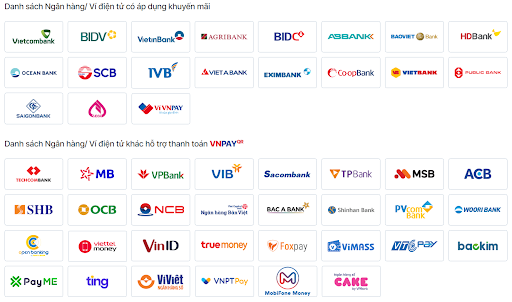 Scan the VNPAY-QR code via 35+ Mobile Banking apps and 15+ linked e-wallets
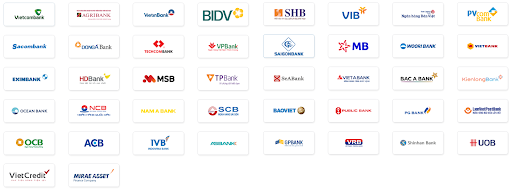
Use 40+ ATM cards/domestic bank accounts
Pay with 4 international payment cards

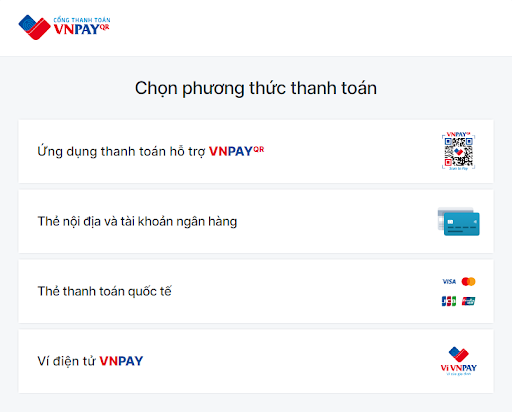
Available Payment Methods via VNPAY
1. Payment Method via 'VNPAY-QR Supported Payment App'
Step 1: Select your product or service and click 'Pay Now' or 'Place Order.' On the checkout page, review your selected items, fill in the recipient's details, choose VNPAY as the payment method, and click 'Place Order Now.'
Step 2: The payment screen will redirect to the VNPAY Payment Gateway. Select the 'VNPAY-QR Supported Payment App' method.
Step 3: A QR code along with the payment amount will be displayed. Verify the amount, then open your banking app (from the listed supported banks), select 'Scan QR Code,' and scan the QR code shown on the website's payment screen.
Step 4: Review the transaction details, enter a discount code (if applicable), and complete the payment. Once the payment is successful, you will receive an order confirmation notification on the website.

2. Payment Method via 'Domestic Card and Bank Account'
Step 1: Select your product or service and click 'Pay Now' or 'Place Order.' On the checkout page, review your selected items, fill in the recipient's details, choose VNPAY as the payment method, and click 'Place Order Now.'
Step 2: The payment screen will redirect to the VNPAY Payment Gateway. Select the 'Domestic Card and Bank Account' method and choose your bank from the provided list.
Step 3: Enter the required card/account details and click 'Continue.' An OTP code will be sent to your registered phone number. Enter the OTP to complete the transaction. *Note: The transaction will expire after 15 minutes.
Step 4: Once the payment is successful, you will receive an order confirmation notification on the website.

The payment gateway interface for 'Domestic Card and Bank Account' payments.
3. Payment Method via 'International Payment Cards (Visa, MasterCard, JCB, UnionPay)'
This method follows the same steps as 'Domestic Card and Bank Account' payments.
4. Payment Method via 'VNPAY E-Wallet'
This method follows the same steps as 'VNPAY-QR Supported Payment Apps' payments.
----------------------------
VNPAY Support Channels
Hotline: *3388 - 1900 55 55 77
Zalo OA: zalo.me/4134983655549474109
Email: hotro@vnpay.vn
Fanpage: facebook.com/VNPAYQR.vn

